AWS Lambda is one of the most revolutionary services offered by Amazon Web Services (AWS). If you are exploring cloud computing or want to build serverless applications, understanding the service is essential. This blog post will guide you through the basics, explain what serverless technology really means, and show you how to create your very first function.
Learn more about AWS Lambda from the official AWS Lambda documentation and the serverless guide by Serverless.com.
What is AWS Lambda and Why is it Popular?
A compute service offered by AWS lets you run code without provisioning or managing servers. This means you can simply write your code and upload it, and AWS takes care of everything else — from starting the function to scaling it as needed. Before this service arrived, deploying an application required managing servers, setting up infrastructure, and ongoing maintenance. It changed the game by introducing a true serverless architecture.
Although it’s called “serverless,” keep in mind that servers do exist behind the scenes. However, you don’t have to manage any of them. The service automatically handles all the infrastructure required to run your code in response to events.
Section: When to Use Serverless
For frontend deployment and static assets, pairing serverless backends with high-performance web hosting offers the best balance.
How AWS Lambda Fits in Modern Cloud Architecture
Lambda is central to modern serverless architecture, running discrete functions triggered by events. It integrates seamlessly with Amazon S3, DynamoDB, API Gateway, and more to automate processes such as file management, database updates, and web
How AWS Lambda Works: The Event-Driven Architecture
AWS Lambda runs on an event-driven model. This means your code function is executed in response to specific triggers or events configured in AWS.
Examples of Lambda Event Triggers
- When a new object is uploaded to an S3 bucket,
- When an item is inserted into a DynamoDB table,
- When a particular URL/endpoint is hit.
Lambda listens for these events and executes your code accordingly. This on-demand execution model offers great efficiency, as you only pay for the compute time your code actually uses, billed in milliseconds.
Cost Efficiency with AWS Lambda
- Serverless Operation: Forget about managing servers. Focus solely on writing and deploying code.
- Efficient Autoscaling: AWS automatically scales your code in real time, based on demand, so you handle any number of events without manual effort.
- Pay-As-You-Go Pricing: Costs are based on the number of function executions and the compute duration, with no charge for idle time.
- Versatile Language Support: Write Lambda functions in Python, Node.js, Java, Go, C#, and more, covering broader development needs.
Supported Programming Languages and Runtimes
The service supports multiple programming languages, including Python, Node.js, Java, Go, Ruby, and more. If your preferred language is not available as a runtime, you can even create a custom runtime. This flexibility helps both beginners and experienced developers to deploy functions easily.
Creating Your First AWS Lambda Function — Step by Step
Creating a Lambda function is straightforward. Here’s a simplified overview:
- Access the AWS Lambda Console: Open the AWS Management Console and navigate to the Lambda dashboard.
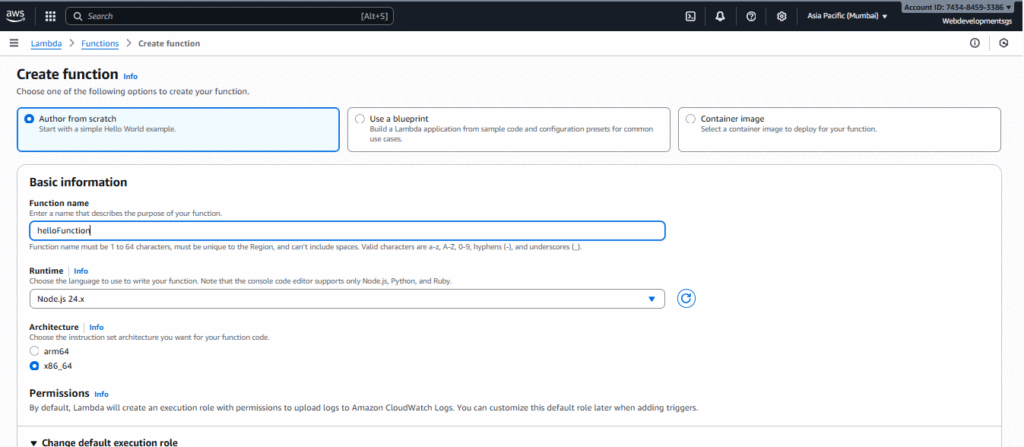
- Create a New Function: Click on “Create Function” and enter a meaningful name for your function.
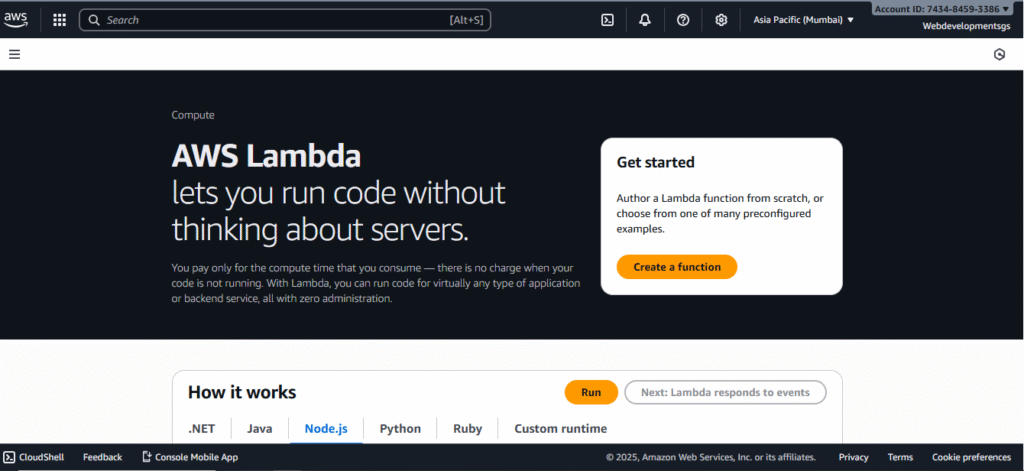
- Choose Runtime: Select the language runtime for your code, such as Node.js.
- Set Execution Role: Create or assign an IAM role to your Lambda function, granting necessary permissions (e.g., to access S3 buckets).
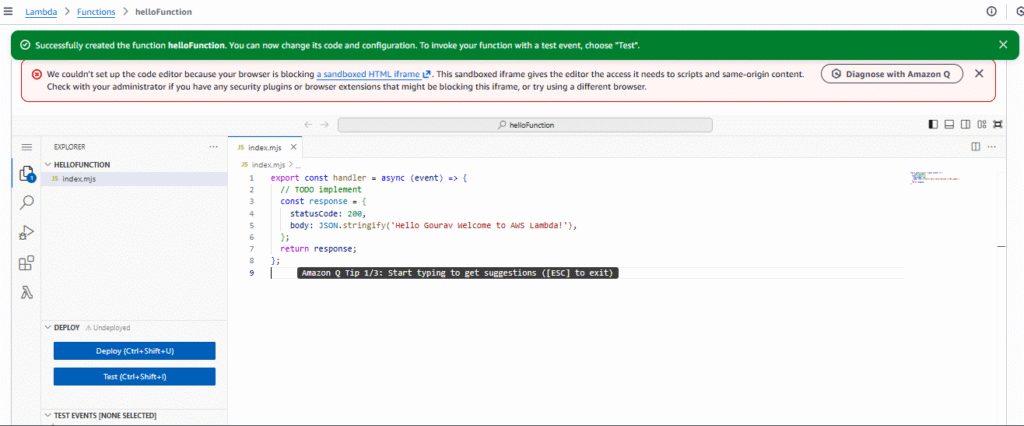
- Write Your Code: Write a simple function (for example, a “Hello from Lambda” message) directly in the console or upload a zip package.
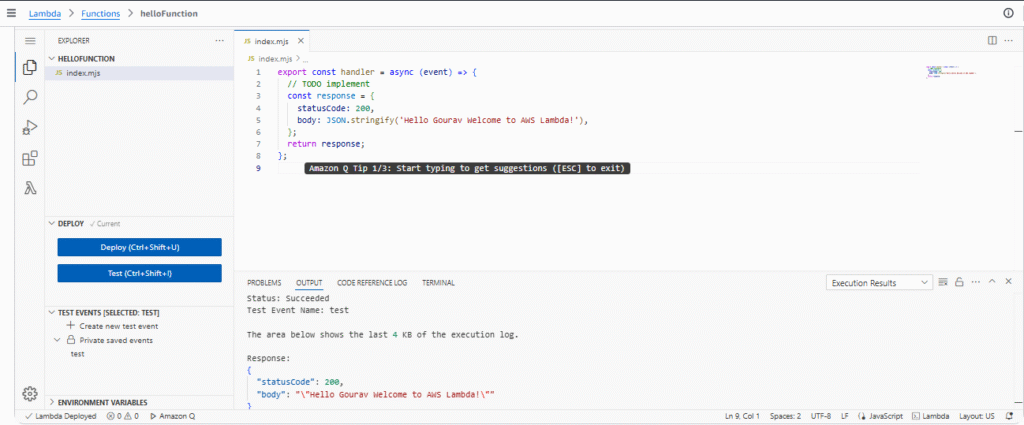
- Test the Function: Use the built-in test feature to run your code and see the output.
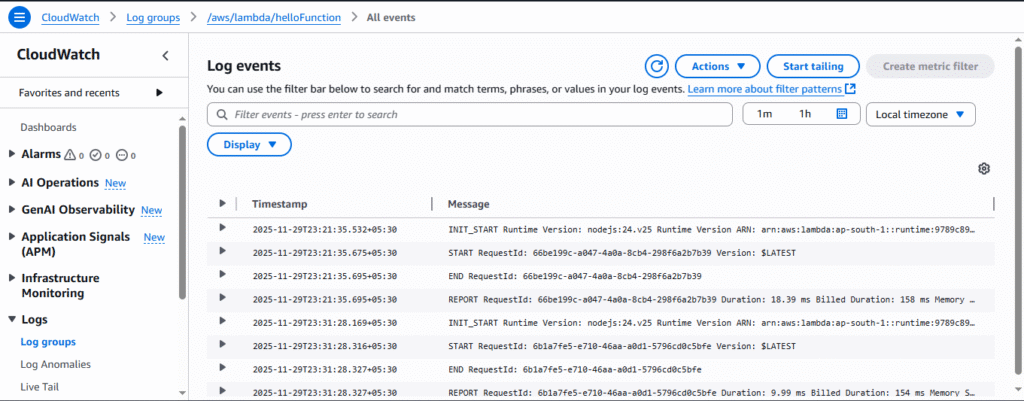
- Monitor Logs: View detailed logs in Amazon CloudWatch to debug and monitor your function execution.
Monitoring and Troubleshooting with CloudWatch
AWS Lambda integrates seamlessly with CloudWatch logs, allowing you to monitor your function’s behavior. While the Lambda console shows the return values of your function, CloudWatch lets you see detailed logs including print statements, error traces, and execution metrics, enabling easier troubleshooting and optimization.
Who Should Learn AWS Lambda?
AWS Lambda is ideal for developers and DevOps professionals looking to build scalable and cost-efficient applications. Basic knowledge of at least one programming language is recommended to write Lambda functions and to use the service effectively.
Conclusion
The service simplifies server management by allowing you to focus solely on your application code. Its event-driven, serverless architecture provides automatic scaling, cost savings, and easy integration with other AWS services such as S3 and DynamoDB. Whether you are just starting with cloud computing or want to enhance your cloud skills, mastering AWS Lambda is a valuable investment.
Share this content: