
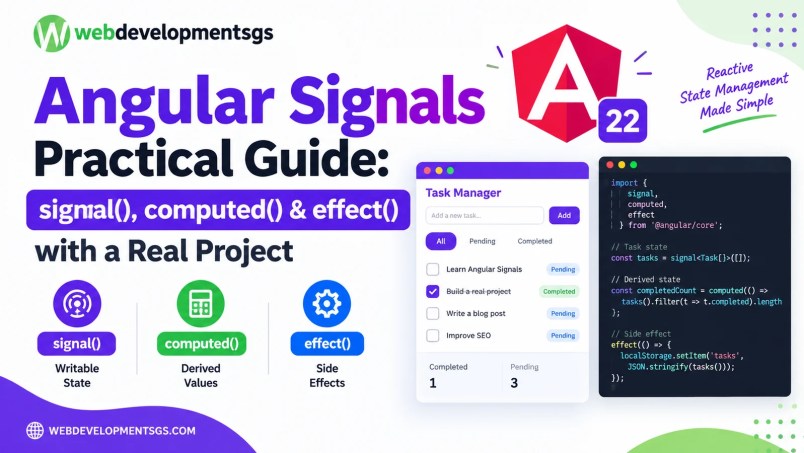
Understanding Angular Signals becomes much easier when you stop using counter examples.
Angular Components Tutorial
This Angular Signals practical example will help you understand how to manage application state using signal(), computed(), and effect() in a real-world Angular Task Manager.
This Angular Signals practical example keeps writable state, derived values, and side effects separate.
In this tutorial, we’ll build reactive state for a small Task Manager using:
signal()
computed()
effect()
More importantly, we’ll learn when each API should and should not be used.
What We’re Building
Our Task Manager needs to:
- store tasks;
- add tasks;
- mark tasks complete;
- calculate completed and pending counts;
- filter tasks;
- automatically save tasks to localStorage.
This gives each Signal API a legitimate job. Angular Signals Guide
Before writing code, let’s understand how an Angular Signals practical example separates writable state, derived values, and external side effects.
Step 1: Create Our Task Type
interface Task {
  id: number;
  title: string;
  completed: boolean;
}
Now create our initial state:
import {
  Component,
  computed,
  effect,
  signal
} from '@angular/core';

@Component({
  selector: 'app-task-manager',
  standalone: true,
  templateUrl: './task-manager.html'
})
export class TaskManager {
  tasks = signal<Task[]>([
    {
      id: 1,
      title: 'Learn Angular Signals',
      completed: false
    },
    {
      id: 2,
      title: 'Build practical project',
      completed: true
    }
  ]);
}
tasks is now a writable Signal.
Step 2: Reading a Signal
Signals are read by calling them:
console.log(this.tasks());In a template:
@for (task of tasks(); track task.id) {
  <p>{{ task.title }}</p>
}
Notice:
tasks()not:
tasksCalling the Signal allows Angular’s reactive system to track that dependency.
Step 3: Updating State Correctly
Suppose we want to add a task.
Use:
addTask(title: string) {
  const newTask: Task = {
    id: Date.now(),
    title,
    completed: false
  };

  this.tasks.update(tasks => [
    ...tasks,
    newTask
  ]);
}
If the current list contains two tasks, calling:
addTask('Learn computed()');creates a new array containing three tasks.
set() vs update()
Use set() when you already know the complete replacement value.
this.tasks.set([]);This clears all tasks.
Use update() when the next value depends on the current value.
this.tasks.update(tasks => [
  ...tasks,
  newTask
]);
A useful rule is:
Replacement value known?
       ↓
     set()

Need current value?
       ↓
    update()
Step 4: Don’t Mutate Arrays Directly
Avoid code like:
this.tasks().push(newTask);Prefer:
this.tasks.update(tasks => [
  ...tasks,
  newTask
]);
This gives your state updates predictable immutable semantics and makes the change explicit.
Step 5: Toggle Task Completion
toggleTask(id: number) {
  this.tasks.update(tasks =>
    tasks.map(task =>
      task.id === id
        ? { ...task, completed: !task.completed }
        : task
    )
  );
}
We don’t need another Signal to store the completed tasks.
We can derive them.
That’s where computed() belongs.
Learn about Angular Directives vs Pipes
Using computed() in an Angular Signals Practical Example
Step 6: Create Computed State
Add:
completedTasks = computed(() =>
  this.tasks().filter(task => task.completed)
);
And:
pendingTasks = computed(() =>
  this.tasks().filter(task => !task.completed)
);
Now:
completedCount = computed(
  () => this.completedTasks().length
);

pendingCount = computed(
  () => this.pendingTasks().length
);
The template can display:
<p>Completed: {{ completedCount() }}</p>
<p>Pending: {{ pendingCount() }}</p>
Whenever tasks changes, Angular knows the derived values may need recalculation.
Why computed() Is Better Than Duplicating State
Don’t do this:
tasks = signal<Task[]>([]);
completedTasks = signal<Task[]>([]);
pendingTasks = signal<Task[]>([]);
Now you have three pieces of state that must stay synchronized.
Instead:
tasks = signal<Task[]>([]);

completedTasks = computed(() =>
  this.tasks().filter(task => task.completed)
);

pendingTasks = computed(() =>
  this.tasks().filter(task => !task.completed)
);
There is now one source of truth. Angular computed API
That is a major practical benefit of computed Signals. Angular Routing Step by Step
Step 7: Add Filtering
In this Angular Signals practical example, the filtered task list is derived from the tasks and selected filter.
Create:
type TaskFilter = 'all' | 'pending' | 'completed';

filter = signal<TaskFilter>('all');
Now create:
filteredTasks = computed(() => {
  const filter = this.filter();
  const tasks = this.tasks();

  switch (filter) {
    case 'completed':
      return tasks.filter(task => task.completed);

    case 'pending':
      return tasks.filter(task => !task.completed);

    default:
      return tasks;
  }
});
Our template can render:
@for (task of filteredTasks(); track task.id) {
  <div>
    {{ task.title }}
  </div>
}
Buttons can change the filter:
<button (click)="filter.set('all')">
  All
</button>

<button (click)="filter.set('pending')">
  Pending
</button>

<button (click)="filter.set('completed')">
  Completed
</button>
We now have a real reactive filtering system without manually synchronizing multiple arrays.
Step 8: Understanding computed() Performance
A computed Signal is both lazy and memoized.
Consider:
filteredTasks = computed(() => {
  console.log('Filtering...');
  return this.tasks().filter(task => !task.completed);
});
Angular doesn’t need to recalculate that expression every time arbitrary application code executes.
The value is derived based on its tracked Signal dependencies.
This makes computed() particularly useful for:
- filtering;
- sorting;
- totals;
- validation state;
- formatted values;
- permissions;
- UI state derived from other state.
Step 9: Where effect() Fits
Now we have a requirement that isn’t derived UI state:
Save tasks to localStorage whenever they change. Angular effect API
This is a side effect.
That’s an appropriate use for effect().
constructor() {
  effect(() => {
    localStorage.setItem(
      'tasks',
      JSON.stringify(this.tasks())
    );
  });
}
Whenever tasks() changes, the effect can synchronize the value with the non-reactive localStorage API.
Step 10: Don’t Use effect() for Derived State
This is a bad pattern:
completedCount = signal(0);

constructor() {
  effect(() => {
    this.completedCount.set(
      this.tasks().filter(task => task.completed).length
    );
  });
}
Why?
Because completedCount is derived from tasks.
Use:
completedCount = computed(() =>
  this.tasks().filter(task => task.completed).length
);
The distinction is important.
Store state
    ↓
 signal()

Derive state
    ↓
computed()

Synchronize with non-reactive external behavior
    ↓
 effect()
Step 11: Restore Tasks from localStorage
We can initialize our Signal from saved data:
private loadTasks(): Task[] {
  const saved = localStorage.getItem('tasks');

  if (!saved) {
    return [];
  }

  try {
    return JSON.parse(saved) as Task[];
  } catch {
    return [];
  }
}

tasks = signal<Task[]>(this.loadTasks());
Then our effect keeps subsequent changes synchronized:
constructor() {
  effect(() => {
    localStorage.setItem(
      'tasks',
      JSON.stringify(this.tasks())
    );
  });
}
Refresh the browser and the tasks remain available.
That’s a genuine practical use of effect().
Step 12: Complete Component State
Our component’s state now looks conceptually like:
tasks = signal<Task[]>(this.loadTasks());

filter = signal<TaskFilter>('all');

completedTasks = computed(() =>
  this.tasks().filter(task => task.completed)
);

pendingTasks = computed(() =>
  this.tasks().filter(task => !task.completed)
);

completedCount = computed(
  () => this.completedTasks().length
);

pendingCount = computed(
  () => this.pendingTasks().length
);

filteredTasks = computed(() => {
  const filter = this.filter();
  const tasks = this.tasks();

  if (filter === 'completed') {
    return tasks.filter(task => task.completed);
  }

  if (filter === 'pending') {
    return tasks.filter(task => !task.completed);
  }

  return tasks;
});
The architecture is simple:
tasks ───────────┐
                 ├── completedTasks
                 ├── pendingTasks
                 ├── completedCount
                 ├── pendingCount
                 └── filteredTasks
                         ↑
                       filter

tasks ── effect() ──> localStorage
This is the mental model worth remembering.
Common Mistake #1
Using effect() everywhere.
Angular’s guidance is to prefer derived reactive APIs such as computed() when you’re calculating state from other state.
Effects are primarily appropriate when reactive state needs to interact with imperative/non-Signal APIs.
Common Mistake #2
Creating duplicate state.
Avoid:
price = signal(100);
tax = signal(18);
total = signal(118);
If total depends entirely on price and tax, derive it:
total = computed(() =>
  this.price() + this.price() * this.tax() / 100
);
Now the values cannot accidentally become inconsistent.
Common Mistake #3
Forgetting That computed() Is Read-Only
You cannot do:
this.completedCount.set(10);A computed Signal represents derived state.
Change its dependencies instead.
When Should You Use Each API?
signal()
Use it for writable state:
- form-related UI state;
- selected item;
- active tab;
- tasks;
- filters;
- counters;
- application state.
computed()
Use it for derived state:
- filtered lists;
- totals;
- validation summaries;
- permissions;
- formatted labels;
- aggregate counts.
effect()
Use it when reactive state must cause an external side effect:
- localStorage synchronization;
- analytics;
- logging;
- some third-party integrations;
- imperative APIs.
Don’t make effect() your default state-management mechanism.
This Angular Signals practical example demonstrates how reactive state management can make Angular applications easier to maintain, test, and extend.
Final Takeaway
The key lesson from this Angular Signals practical example is to give each Signals API a clear responsibility:
signal()
= source state

computed()
= derived state

effect()
= side effect
Our Task Manager now demonstrates all three in a practical scenario.
Instead of memorizing the APIs, ask three questions:
- Does this value need to be changed directly? →
signal() - Can this value be calculated from other state? →
computed() - Am I synchronizing reactive state with something outside that state graph? → potentially
effect()
That decision process scales much better than using Signals simply because they’re available.
